
So far we have an spaceship that the player can control, now we are going to give him a weapon he can fire. First, we need to consider that, as standard, MPAGD works with 16 x 16 pixel sprites, so we will initially create a 16 x 16 weapon.
Let's create the weapon sprite:
MENU: EDITOR > SPRITES
Hit X to add a new sprite, and create your Photon Torpedos (or whatever you want the enemy spaceship to shoot!), here's mine:
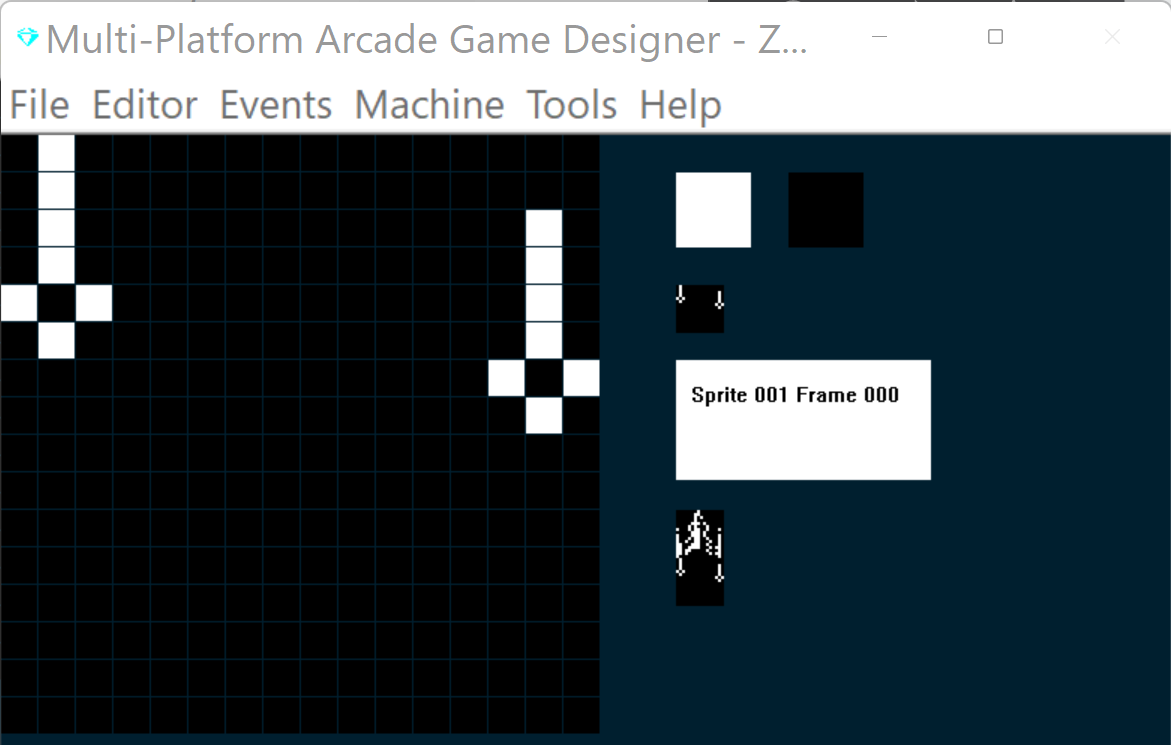
Now, before we start coding, there's a couple of things we need to consider:
1) MPAGD can only handle 12 sprites on screen at any one time, so we're going to need to keep track of how many are in play.
2) We're going to want to check the player has released the fire key each time they shoot, no auto fire here, so we're going to need to check for key debouncing.
Each of these can be solved pretty easily.
Keeping track of on screen sprites
We'll use a variable, S, to keep a tally of how many sprites are on screen at any one time. Each time an enemy appears, or a torpedo is fired, we'll increment the tally, making sure it never goes above 12. Similarly, each time one is removed we'll decrement the tally (S).
To start with we'll s,et S to 0 in the RESTART SCREEN event then we'll ADD 1 to S for each sprite when it is initialised:
MENU: EVENTS > RESTART SCREEN
EVENT RESTARTSCREEN

LET S = 0			; initialise the sprite counter
MENU: EVENTS > INITIALISE SPRITES
EVENT INITSPRITE

ADD 1 TO S            ; increment the sprite counter
So, when the screen is drawn, S starts at 0 and increments for every sprite that is then placed on Screen
Next, we'll write some code for the Photon Torpedo's (the weapon) which will define what happens when the player shoots one. We'll use Sprite type 1 for the weapon:
MENU: EVENTS > SPRITE TYPE 1
Q
EVENT SPRITETYPE1

							; PHOTON TORPEDOS
							; ====================


IF DIRECTION 1				; Torpedo travel up
	LET IMAGE = 1				; make sure we are on image 1
	REPEAT 6					; torpedos move quick, so do this 6 times
	SPRITEUP					; move up
	ADD 2 TO SETTINGB			; increase the distance counter by 2
	IF SETTINGB > = 88		; when distance travelled = 88
		LET DIRECTION = 99	; run the explode routine
	ENDIF
		IF Y <= 8			; has the torpedo reached the top?
		LET DIRECTION = 99	; yes, so explode it
		EXIT				; exit this event (as we are in a loop)
	ENDIF
	ENDREPEAT
ENDIF

IF DIRECTION = 99				; explode the torpedo
	REMOVE					; remove the torpedo
	SUBTRACT 1 FROM S			; decrement the sprite counter
ENDIF
Like in Arcadia, player torpedos do not travel the full height of the screen, they explode after travelling half the full height, so we're doing the same. I've used the local variable SETTINGB to calculate when the torpedo has travelled 88 pixels, at which point we change its DIRECTION to 99 which is a sub routine that will explode the torpedo, we'll design an explosion graphic later, for now, we'll just remove the sprite and decrement the sprite counter variable (S)
We remember to update the Initialise Sprite Event to set SETTINGB to 0 when a torpedo is first initialised.
EVENT INITSPRITE

ADD 1 TO S				; increment the sprite counter

IF TYPE 1				; PHOTON TORPEDO
	LET SETTINGB = 0		; initialise the distance counter
ENDIF
Next, we'll head back to our player event and add the code for the FIRE button:
EVENT PLAYER
AT 0 14 DISPLAY TRIPLEDIGITS S

						; COLOURS
						; =======================
SPRITEINK 69				; Bright Cyan ink

IF KEY UP				; Player presses up (thrust)
	LET FRAME = 1			; switch to the frame that shows jetflame
	IF Y > 92 			; If player is below the 80 y pixel line
		SPRITEUP			; move player up
		SPRITEUP			; and up again (faster movement)
	ENDIF
ELSE						; if player is not pressing thrust
	LET FRAME = 0			; switch to the regular spaceship (no jetflame)
	SPRITEDOWN			; move player down
ENDIF

						; PLAYER MOVEMENT
						; ====================
IF KEY LEFT				; has player pressed LEFT?
	IF CANGOLEFT			; can the player move left?
		SPRITELEFT		; yes, move player left
		SPRITELEFT		; and again (moves faster)
	ENDIF
ENDIF

IF KEY RIGHT				; has the player pressed RIGHT?
	IF CANGORIGHT			; yes, can the player move right?
		SPRITERIGHT		; yes, move player right
		SPRITERIGHT		; and again (moves faster)
	ENDIF
ENDIF

								; FIRE PHOTON TORPEDOS
								; ====================
IF KEY FIRE						; if player presses fire key
	IF SETTINGA = 0				; if firekey is debounced
		IF S < 12				; and if less than 12 on screen
			SPAWN 1 1			; spawn a bullet
			LET SETTINGA = 1		; bounce the fire key
			SPAWNED				; switch to the Photon Torpedo
			LET DIRECTION = 1		; set its direction to 1 (up)
			ENDSPRITE			; return to this sprite
		ENDIF
	ENDIF
ELSE								; fire key not pressed
	LET SETTINGA = 0				; debounce it
ENDIF


						; BOUNDARY CHECK
						; ====================
IF Y >= BOTTOMEDGE		; has player gone beyond the bottom edge?
	LET Y = BOTTOMEDGE	; yes, keep them at the bottom edge
ENDIF
Let's give it a test. by building the game
That's working as expected, now let's tidy it up by creating an explosion, we'll do this by adding some additional frames to our torpedo sprite:
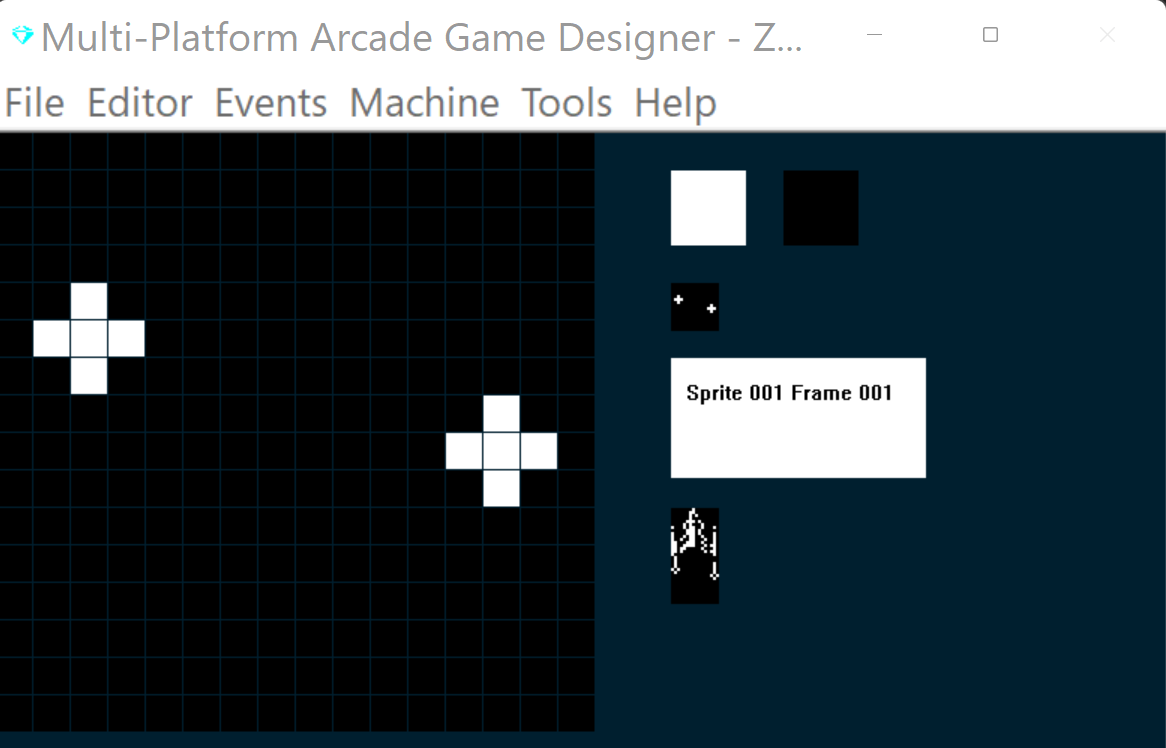
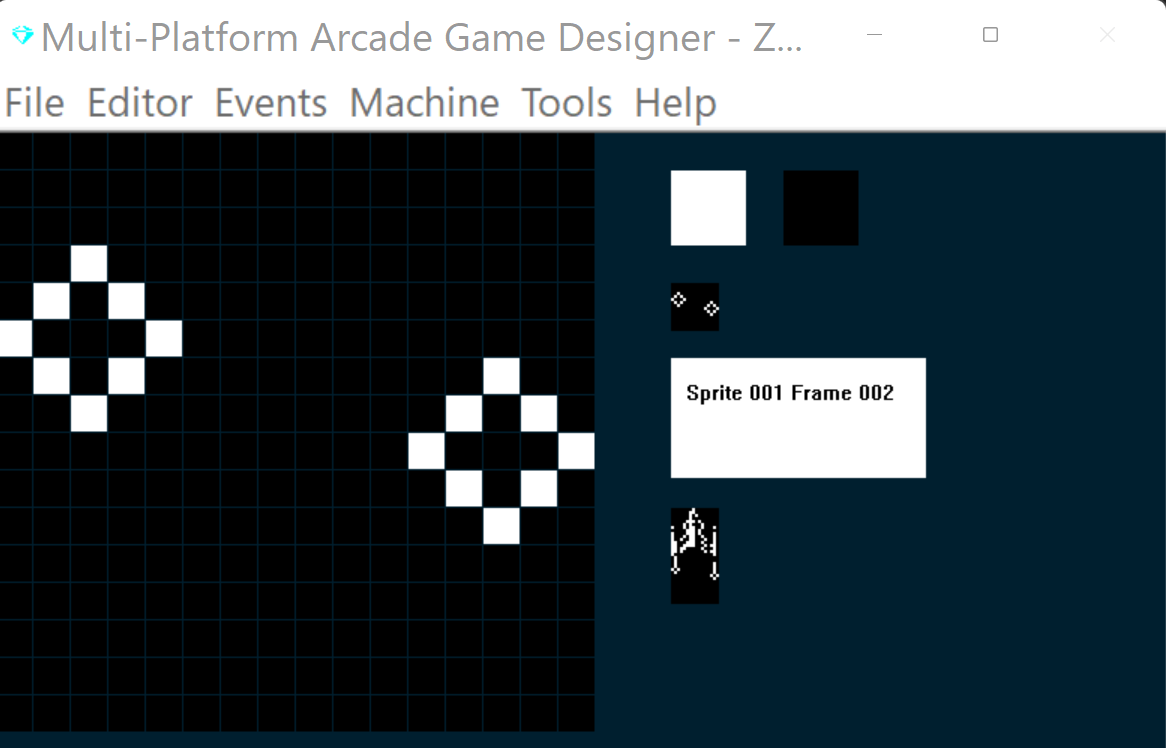
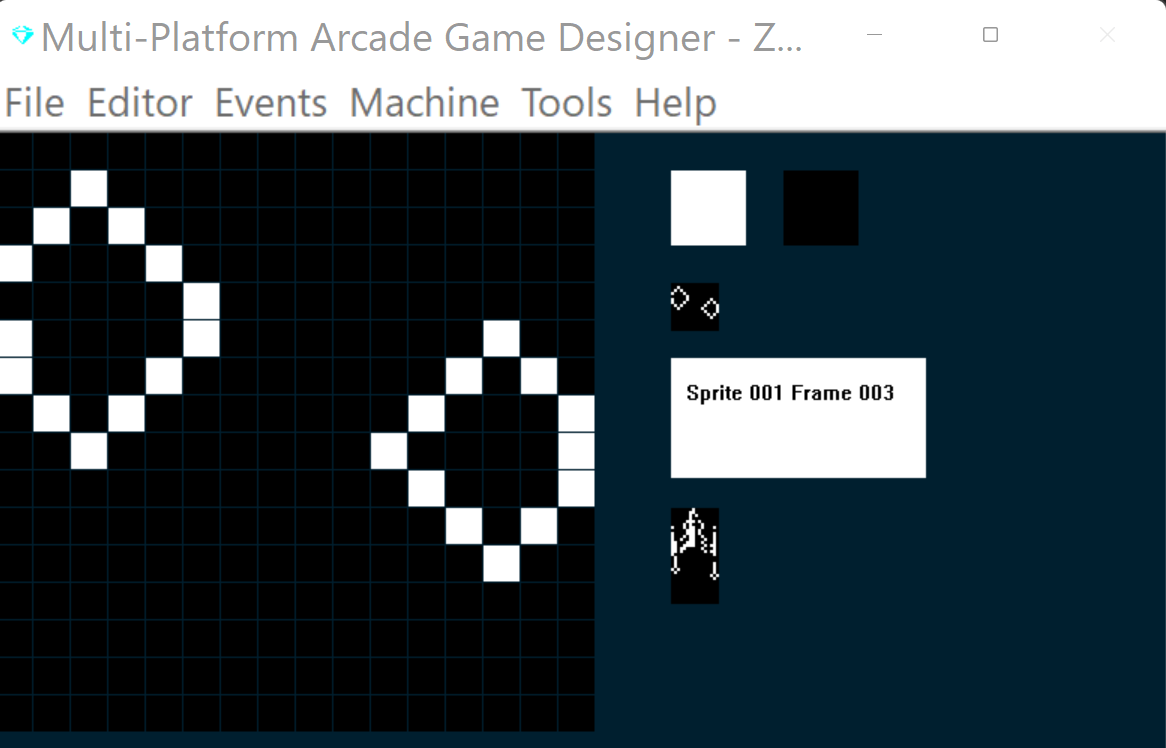
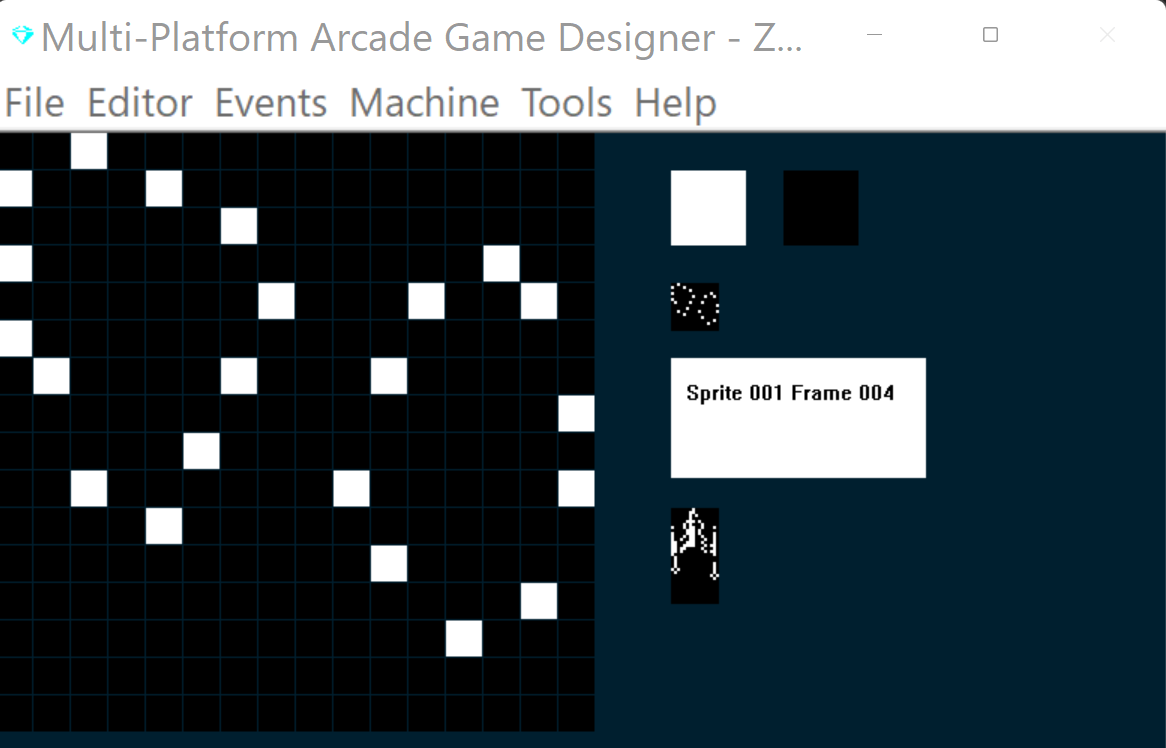
Now we'll update our explosion subroutine in the torpedo event (SPRITE TYPE 1), I've highlighted the new code below:
EVENT SPRITETYPE1

						; PHOTON TORPEDOS
						; ====================


IF DIRECTION 1			; Torpedo travel up
	LET IMAGE = 1			; make sure we are on image 1
	REPEAT 6				; torpedos move quick, so do this 6 times
	SPRITEUP				; move up
	ADD 2 TO SETTINGB		; increase the distance travelled counter by 2
	IF SETTINGB > = 88	; when distance travelled = 88
		LET DIRECTION = 99; run the explode routine
	ENDIF
	IF Y <= 8			; has torpedo reached the top?
		LET DIRECTION = 99; yes, so explode it
		EXIT				; quit this event as we are in a loop
	ENDIF
	ENDREPEAT
ENDIF

IF DIRECTION = 99			; explode the torpedo
	ADD 1 TO FRAME		; increment the frame
	IF FRAME = 5			; when we reach the last frame
		REMOVE			; remove the torpedo
		SUBTRACT 1 FROM S	; decrement the sprite counter
	ENDIF
ENDIF
So, now we have our playr spaceship, which can move and fire torpedos...I think we're going to need an enemy!
NEXT: PART 4: OUR FIRST ALIEN ENEMY