
Why? well...why not.
This is something I first wrote for Cocoa and the Time Machine. I wanted a Cannon that would fire cannonballs that followed different trajectories...and bounced when they hit the ground, steadily losing momentum.
Here's one in action.
Now, it might look like there's some complicated maths here, but have no fear, it's really quite simple and is mainly based on taking advantage of MPAGD's JUMP command.
We might think that JUMP is only relevant to the player, but MPAGD let's you make any sprite JUMP. It also takes a parameter which will control how high the sprite can jump.
So, in effect, our cannonball is just making a series of steadily reducing jumps.
First, we're going to need a couple of sprites, one for the Cannon and one for the Cannonball (or choose your artillery of choice).
For the cannon. I'm going to create two frames, one facing left and one facing right. Dependent on where I position the canon on a screen I want it to point in the correct direction (we'll need a bit of space to work with so it's likely that the cannons will be positioned either close to the right or left edges.)
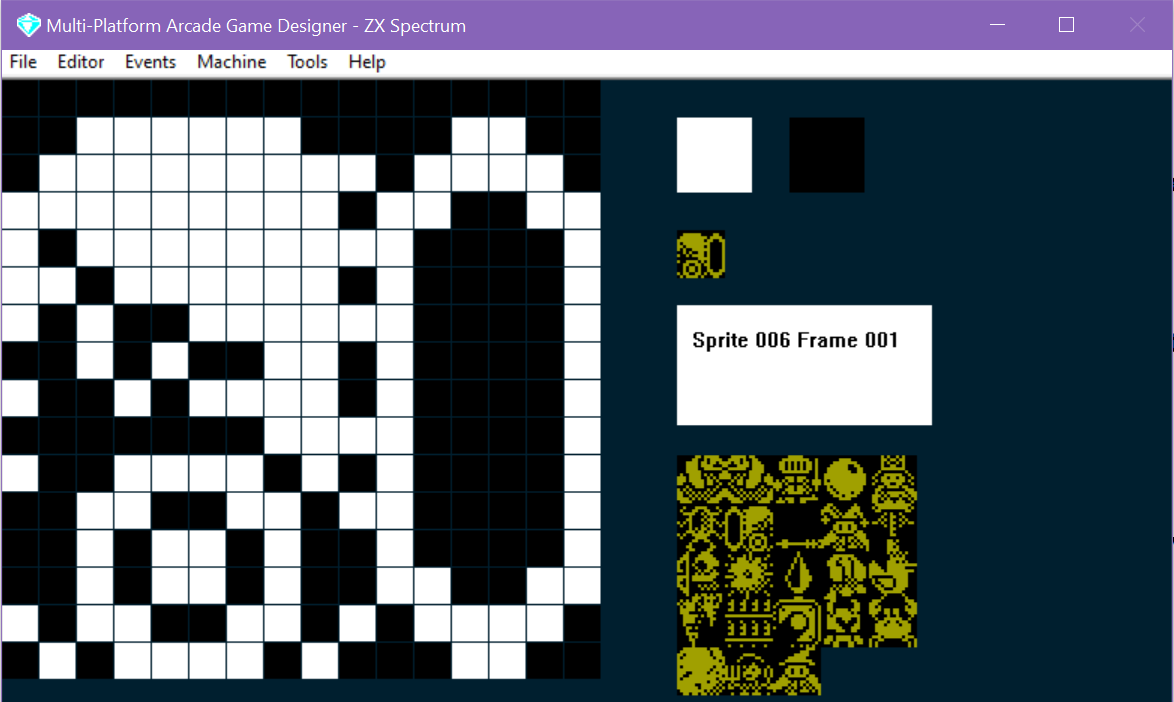
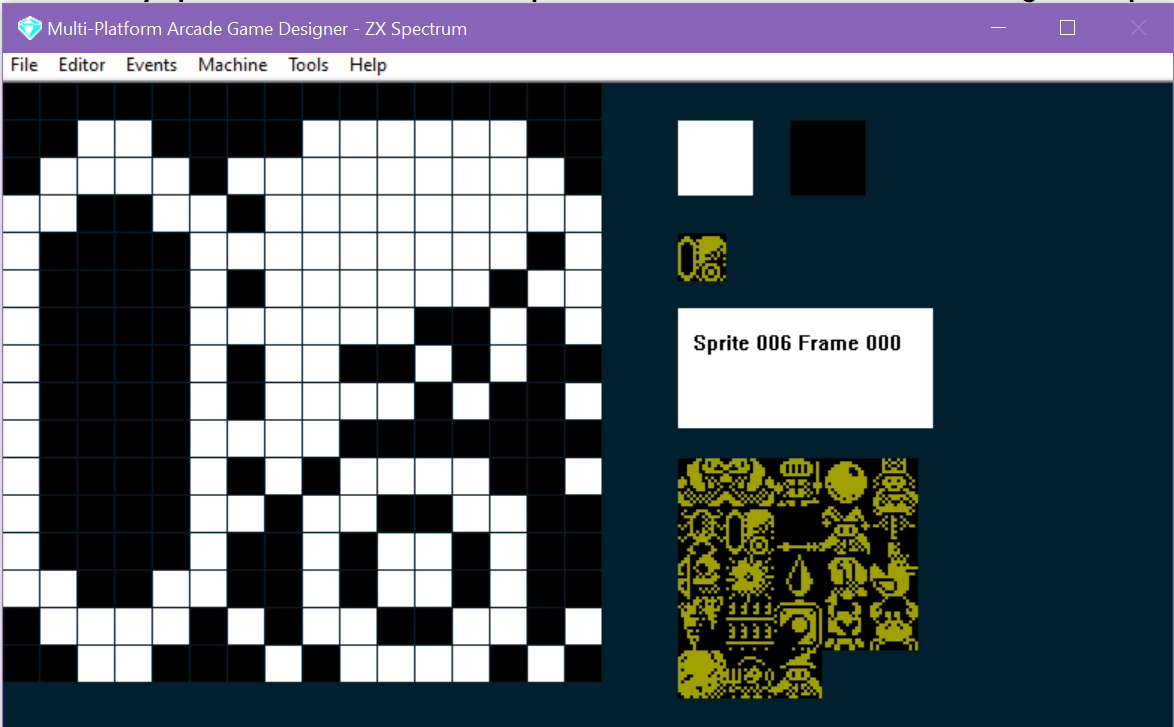
Next, we'll write some code for the Cannon, I'll keep this as basic as possible, all I want is to be able to place a Cannon on a screen and then, if there isn't already a cannonball in play, fire one.
Here's the code:
IF IMAGE 6
   SPRITEINK 11
   IF S = 0                                ; if there is no cannonball currently in play
      IF FRAME = 0                         ; if the cannon is facing left
	 SUBTRACT 8 FROM X                 ; 8 pixels to the left of the canon
         SPAWN 8 3                         ; spawn a cannonball (TYPE = 8 IMAGE = 3)
	 ADD 8 TO X                        ; reset the cannons X co-ord so it doesn't move
	 LET S = 1                         ; the cannonball should go left
      ELSE                                 ; the cannon is facing right
	 ADD 8 TO X                        ; 8 pixels to the right of the cannon
         SPAWN 8 3                         ; spawn a cannonball
	 SUBTRACT 8 FROM X                 ; reset the cannons x co-ord so it doesn't move
	 LET S = 2                         ; the cannonball should go right
      ENDIF
   ENDIF
ENDIF
So, all we are doing here is looking to see whether there is no cannonball currently in play (the S variable), and then checking if the cannon is pointing left or right (which we can tell from the FRAME), then spawning a CANNONBALL (which is my IMAGE 3 and its event script is in TYPE 8), then we change the S variable to either 1 or 2 (which tells other scripts that there is a cannonball in play (either 1 for going left or 2 for going right)
Next, we'll create the script for the Cannonballs.
IF IMAGE 3
   SPRITEINK 7
   IF S = 1                            ; is the cannonball going left?
      IF CANGOLEFT                     ; can it go left?
         SPRITELEFT                    ; go left
         IF SETTINGA = 0               ; has it just been fired?
	    LET SETTINGA = 1           ; remember we've fired it
            CRASH 50                   ; make a sound
            JUMP SETTINGB              ; jump (to the height stored in settingb)
         ENDIF
      ENDIF

      IF CANGODOWN                     ; if the cannonball cant go down, it must be on the ground
      ELSE
         IF SETTINGB >= 1              ; as long as SettingB isn't 0
	    SUBTRACT 1 FROM SETTINGB   ; reduce settingb (the height of the next jump) by 1
	 ENDIF
     	 CRASH 30                      ; make a sound
         JUMP SETTINGB                 ; bounce!
      ENDIF

      IF X <= LEFTEDGE                 ; has the cannonball reached the left edge of the screen?
	  REMOVE                       ; if so, remove the cannonball
	  LET S = 0                    ; remember there is no cannonball in play now
      ENDIF
   ENDIF

   IF S = 2                            ; is the cannonball going left?
      IF CANGORIGHT                    ; can it go left?
         SPRITERIGHT                   ; go left
         IF SETTINGA = 0               ; has it just been fired?
            LET SETTINGA = 1           ; remember we've fired it
            CRASH 50                   ; make a sound
            JUMP SETTINGB              ; jump (to the height stored in settingb)
         ENDIF
      ENDIF

      IF CANGODOWN                     ; if the cannonball cant go down, it must be on the ground
      ELSE
         IF SETTINGB >= 1              ; as long as SettingB isn't 0
	    SUBTRACT 1 FROM SETTINGB   ; reduce settingb (the height of the next jump) by 1
	 ENDIF
     	 CRASH 30                      ; make a sound
         JUMP SETTINGB                 ; bounce!
      ENDIF

      IF X >= RIGHTEDGE                ; has the cannonball reached the left edge of the screen?
	 REMOVE                        ; if so, remove the cannonball
	 LET S = 0                     ; remember there is no cannonball in play now
      ENDIF
   ENDIF
ENDIF
Now, if you've been looking closely at the code, you'll notice that it won't work properly. That's because it requires a value in SETTINGB that will dictate the height of the JUMP (bounce).
So we will set SETTINGB in the SPRITE INITIALISATION script...we could either have a fixed value (ie LET SETTINGB = 10) or we could randomise it....perhaps something like...
   IF IMAGE 3
      LET SETTINGA = 0                  ; we need this to track whether it is the first jump
      GETRANDOM 6                       ; gets a  random number from 0 -5
      ADD 3 TO RND                      ; add 3 to it ( will now be in range 3 - 8)
      MULTIPLY RND BY 2                 ; multiply it by 2 (will now be in range 6 to 16)
      LET SETTINGB = RND                ; put the number in SettingB as the initial jump height
 ENDIF
Or perhaps use a DATA statement and READ SETTINGB from it, that way you can have a sequence of heights that the cannonballs will start jumping with.
We also need to put some code in for initialising the Cannon, remember I created two frames, one pointing right, one pointing left, when we initialise a Canon, we'll look which side of the screen it is placed on, and then switch the frame to point to the other side:
   IF IMAGE 6                                ; are you a cannon?
      IF X <= 127                            ; are you on the left side of the screen?
	 LET FRAME = 1                       ; if so point right
      ELSE                                   ; otherwise you must be on the right
	 LET FRAME = 0                       ; so point left
      ENDIF
   ENDIF
So, in its simplest form, that's how it's done, obviously you'll want to write some COLLISION script that will determine what happens when the cannonball hits the player.
In addition, because of the way we structured the main cannonball script, it would be really easy to get the cannonball to rebound off a wall. All we need to do is check the path ahead to see if the cannonball is about to hit a wall block, and if it is, change the S variable. We can do this like this (within the IF S = 1...i.e when it is going left):
	  SUBTRACT 1 FROM X
	  GETBLOCK X Y
	  ADD 1 TO X
	  IF BLOCK = WALLBLOCK
	     LET S = 2
	  ENDIF
This just checks 1 pixel to the left of the sprite (remember the x value is the left hand side of the sprite) to see if its a wall block, and if it is change S to 2 which will send it right.
Then, in the IF S = 2 ....ENDIF we'll add:
	  ADD 16 TO X
	  GETBLOCK X Y
	  SUBTRACT 16 FROM X
	  IF BLOCK = WALLBLOCK
	     LET S = 1
	  ENDIF
Note that we have to add 16 to X to check what is to the right of the sprite
We're not really changing the value of X of the sprite - which is why we always return X to its original value as soon as we've done the GETBLOCK....else your sprite will move incorrectly.
So now our code should look like:
IF IMAGE 3
   SPRITEINK 7
   IF S = 1                            ; is the cannonball going left?
      IF CANGOLEFT                     ; can it go left?
         SPRITELEFT                    ; go left
         IF SETTINGA = 0               ; has it just been fired?
	    LET SETTINGA = 1           ; remember we've fired it
            CRASH 50                   ; make a sound
            JUMP SETTINGB              ; jump (to the height stored in settingb)
         ENDIF
      ENDIF

      IF CANGODOWN                     ; if the cannonball cant go down, it must be on the ground
      ELSE
	 IF SETTINGB >= 1              ; as long as SettingB isn't 0
	    SUBTRACT 1 FROM SETTINGB   ; reduce settingb (the height of the next jump) by 1
	 ENDIF
     	 CRASH 30                      ; make a sound
         JUMP SETTINGB                 ; bounce!
      ENDIF

	  IF X <= LEFTEDGE                 ; has the cannonball reached the left edge of the screen?
	    REMOVE                        ; if so, remove the cannonball
	    LET S = 0                     ; remember there is no cannonball in play now
	  ENDIF

	  SUBTRACT 1 FROM X
	  GETBLOCK X Y
	  ADD 1 TO X
	  IF BLOCK = WALLBLOCK
	     LET S = 2
	  ENDIF


   ENDIF

   IF S = 2                            ; is the cannonball going left?
      IF CANGORIGHT                    ; can it go left?
         SPRITERIGHT                   ; go left
         IF SETTINGA = 0               ; has it just been fired?
            LET SETTINGA = 1           ; remember we've fired it
            CRASH 50                   ; make a sound
            JUMP SETTINGB              ; jump (to the height stored in settingb)
         ENDIF
      ENDIF

      IF CANGODOWN                     ; if the cannonball cant go down, it must be on the ground
      ELSE
         IF SETTINGB >= 1              ; as long as SettingB isn't 0
            SUBTRACT 1 FROM SETTINGB   ; reduce settingb (the height of the next jump) by 1
	 ENDIF
     	 CRASH 30                      ; make a sound
         JUMP SETTINGB                 ; bounce!
      ENDIF

	  IF X >= RIGHTEDGE                ; has the cannonball reached the left edge of the screen?
		REMOVE                         ; if so, remove the cannonball
		LET S = 0                      ; remember there is no cannonball in play now
	  ENDIF

	  ADD 16 TO X
	  GETBLOCK X Y
	  SUBTRACT 16 FROM X
	  IF BLOCK = WALLBLOCK
	     LET S = 1
	  ENDIF
   ENDIF
ENDIF
Which should end up looking a bit like this:
You could easily adapt this script for your own games, remember, I kept it simple and only allow one cannonball in play at any one time, this then allows me to have other sprites on screen (you need to be careful not to exceed the maximum number per screen else weird things will happen).
Hope this helps!