
Power Desk · Guided tour
Memory
See where every byte of your game goes, in normal memory and in each 128K bank. Take a short tour of the page.
Step 1 of 10
See where your memory goes
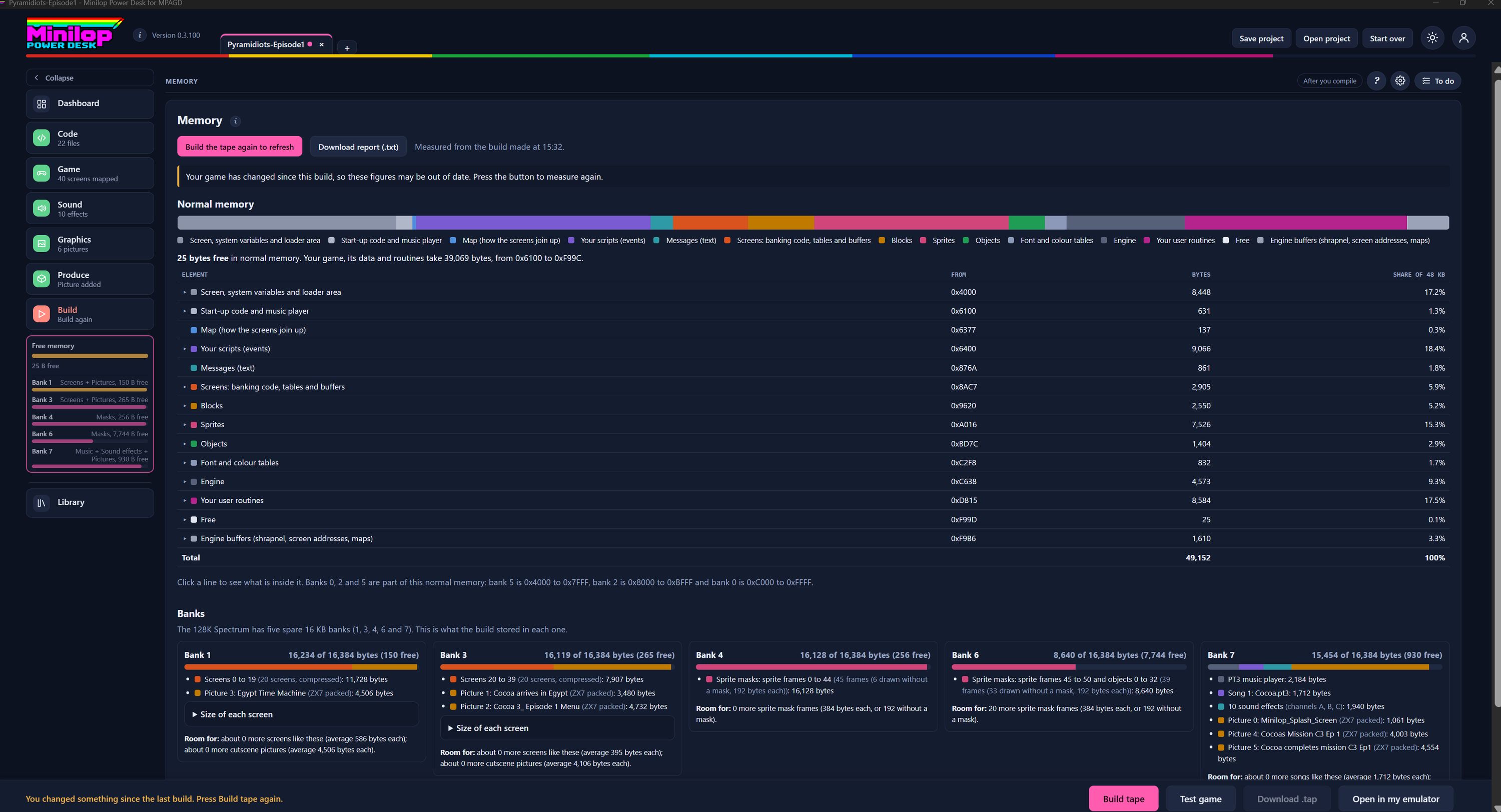
The Memory page shows what is using the Spectrum's memory, byte by byte, so you know how much room you have left. Use Next, or the numbers, to walk round the screen.
Measure again
The figures come from your last build. Press the pink button to build again and refresh them. Download report (.txt) saves them as a text file.
A warning when things have changed
If you have changed your game since the last build, this note says the figures may be out of date. Build again and they are right.
Normal memory as a bar
One long bar shows the normal 48K, coloured by what sits in it, from the screen and loader area to your scripts, blocks, sprites, objects and user routines. The key underneath names every colour, and white is the memory still free.
Bytes free
This line tells you how many bytes are free in normal memory and how many your game takes up.
Every part, in order
The table lists each part with the address it starts at, its size in bytes and its share of the 48K. Click a line to see what is inside it. The Free row shows what is left.
Banks
The 128K Spectrum has five spare 16K banks. Each card says how full a bank is and what the build stored in it.
What is in each bank
Bank 1 and Bank 3 hold your screens and pictures, Bank 4 and Bank 6 hold sprite masks, and Bank 7 holds music, sound effects and more pictures. Each card also says how much more of each kind of thing would fit.
Free memory in the side list
The same figures sit in the Free memory gauge on the left, so you can check them on any page.
Then build the tape
Change something, then build the tape again to see the new figures. Test game and Open in my emulator are here too.