
Power Desk · Guided tour
The user routine builder
Add scrollers, transitions, sprite effects and more without writing any code. Take a short tour of the page.
Step 1 of 8
Add features with no coding
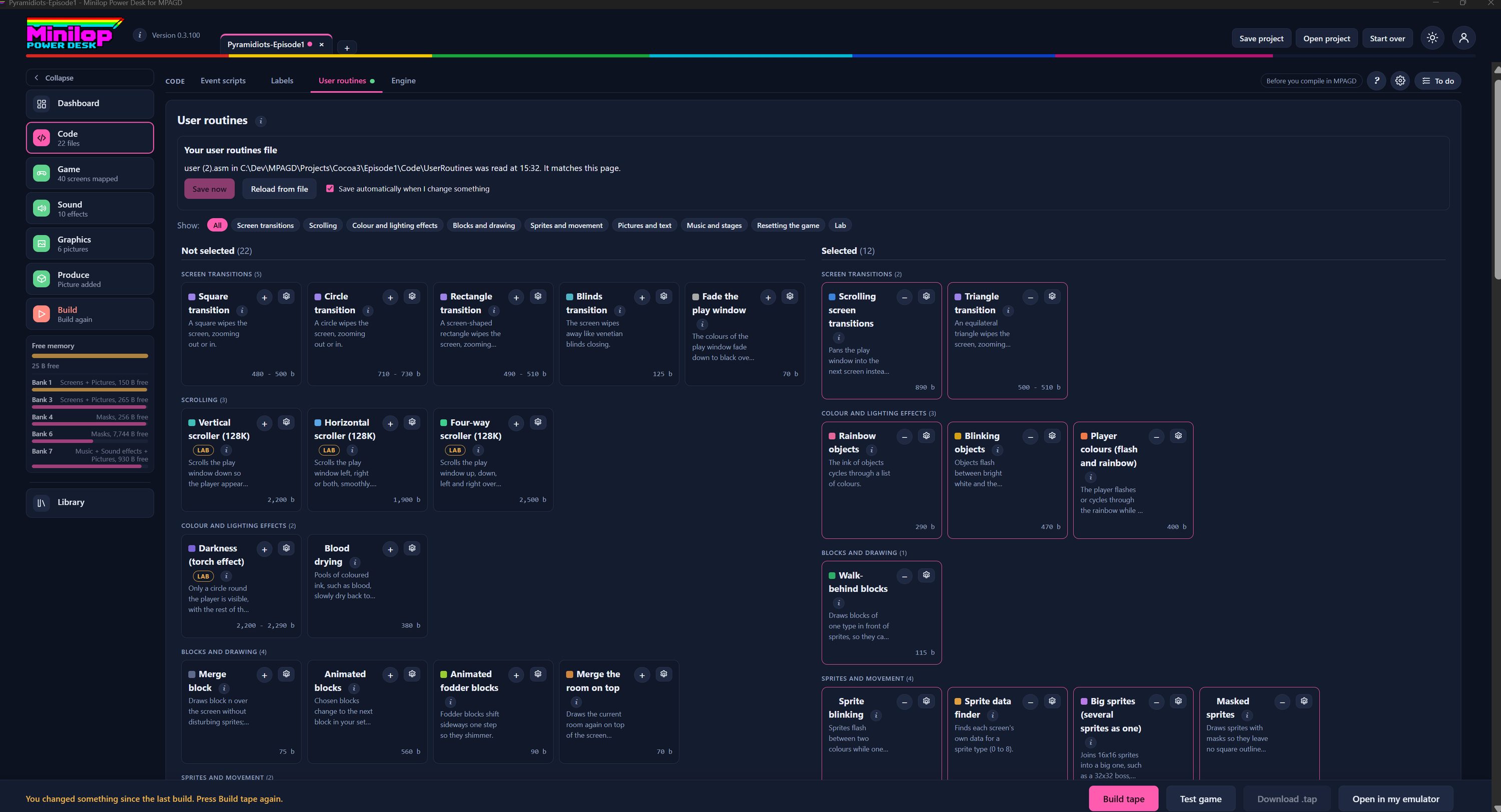
Tick the routines you want from a library of ready-made ones and the Desk writes your user.asm for MPAGD. There are over 30 to play with, from screen transitions and scrollers to sprite effects, music and multi-stage games. Use Next, or the numbers, to look around the page.
Your user routines file
The Desk reads your user.asm from your UserRoutines folder, says when it was read and whether it matches the page. Save now writes your choices to it, Reload from file reads it again, and the tick box saves automatically whenever you change something. Then use the file in MPAGD in place of your current user.asm, and call the USER numbers from your scripts.
Filter by category
Show everything, or narrow the list to one category: Screen transitions, Scrolling, Colour and lighting effects, Blocks and drawing, Sprites and movement, Pictures and text, Music and stages or Resetting the game. Lab shows routines that work but are still being tested.
Routines to choose from
Routines you have not picked yet sit on the left, grouped by category. Each card has a name, a short description and, at the bottom, what it adds to your game in bytes of memory. The number beside Not selected says how many are left.
What is on a card
Each card has the routine's name, a Lab tag if it is still being tested, an i button for help, a + to add it and a cog for its settings. The cost in bytes sits at the bottom, so you know the price before you add it.
Your choices
Routines you have ticked move to the right, with a count, grouped the same way. The minus takes one out again, and the cog opens its USER number and other settings. The Desk writes them all into one user.asm, and a USER numbers map shows what each number triggers and which numbers nothing handles.
Keep an eye on memory
The Free memory gauge in the side list shows the bytes free in main memory and in each 128K bank. Choose your routines, then check it before you build.
Then build the tape
With your routines chosen, save the file, compile in MPAGD, then build the tape here and test it in the built-in emulator.
Next tour: Screen Editor All tours